
Screenshots



App details
- Version
- 4.0.108
- Size
- 17.01 MB
- Updated
- July 11, 2023
- Requires
- Windows Vista
- Language
- English | Czech | Danish | German | Gree...
- License
- Trial version
- Developer
- RepkaSoft
- Category
- Windows OS
SoftPas in:
This product is also available in the following languages:
About YoWindow
Download YoWindow – Animated Weather Forecast App for Windows & macOS
Introduction & Overview
YoWindow is an original weather forecast application that transforms the mundane task of checking the sky into a vivid, animated experience. Unlike traditional widgets that present raw numbers in a static window, YoWindow paints a dynamic landscape that reacts in real time to the actual weather conditions of your chosen location. Whether it’s a bright summer sunrise, a brooding rainy afternoon, or a gentle snowfall, the app’s background shifts seamlessly, providing both visual pleasure and accurate meteorological data.
The core idea behind YoWindow is to blend utility with aesthetics. It shows the current temperature, “feels‑like” temperature, wind speed, atmospheric pressure, and humidity, all layered over a customizable animated scenery. Users can replace the default landscapes with personal photos, making the app truly their own. The forecast extends three days ahead, with an interactive timeline that lets you scroll hour by hour to see how temperature, cloud cover, and precipitation evolve. Additionally, YoWindow can act as a screensaver, turning idle moments into a calming weather showcase.
For anyone who spends a lot of time at a desktop or laptop and wants a more engaging way to stay informed about the weather, YoWindow offers a blend of style and substance. It’s free to download, updates automatically, and runs on the most common operating systems. In the sections that follow, we’ll explore the standout features, walk through the installation process, and examine compatibility, pricing, and user feedback.
Features & Interactive Design
- Real‑time animated backgrounds that mirror actual weather conditions.
- Three‑day forecast with hour‑by‑hour timeline for precise planning.
- Current weather metrics: temperature, feels‑like temperature, wind, pressure, humidity.
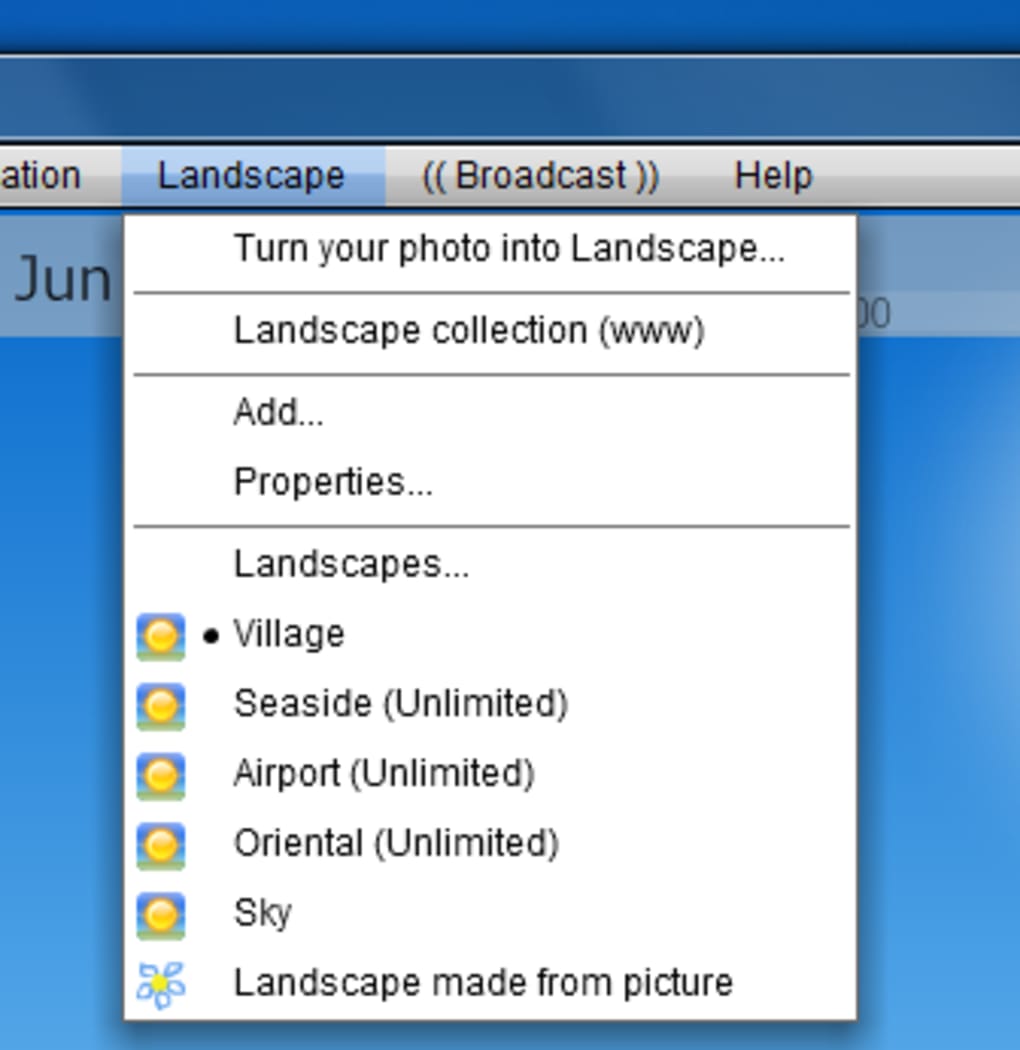
- Customizable scenery – upload your own photos to replace default landscapes.
- Built‑in screensaver mode that turns the forecast into a living wallpaper.
- Clickable day panels for instant access to detailed hourly data.
- Sunrise and sunset visualizations that enhance the day‑night cycle.
- Lightweight design with low CPU usage, ideal for continuous desktop display.
- Automatic updates that keep the data source fresh without manual intervention.
- Multi‑language support for a global audience.
What truly sets YoWindow apart is its dedication to visual storytelling. The animated background isn’t just a decorative element; it’s an informative layer that reflects wind direction with moving clouds, rain intensity with falling droplets, and temperature shifts with color gradients. For example, a clear sky turns a warm amber as sunset approaches, while a sudden cold front is signaled by a rapid transition to cooler blues and a light snowfall overlay.
The timeline at the top of the window acts like a mini‑weather carousel. Dragging the slider reveals how conditions will change hour by hour, allowing users to anticipate when the next rain shower will start or when the temperature will peak. Each hour’s data point is accompanied by small icons, making it easy to scan for rain, snow, or sunshine without reading numbers. This blend of graphic cues and precise data makes YoWindow suitable for both casual users who enjoy a beautiful desktop and professionals who need reliable, quick weather checks.
Installation, Compatibility & Daily Use
Step‑by‑Step Installation
Downloading YoWindow is straightforward. Visit the official YoWindow website, click the “Download for Windows” or “Download for macOS” button, and save the installer file. Once the download completes, run the installer and follow the on‑screen prompts: accept the license agreement, choose an installation folder (the default works for most users), and click “Install.” After a brief copying process, the application launches automatically.
For macOS users, the app is distributed as a .dmg file. Open the disk image, drag the YoWindow icon into the Applications folder, and eject the image. The first launch may trigger a security warning; simply allow the app in System Preferences → Security & Privacy.
Compatibility (itemprop="operatingSystem")
- Windows 10, 11 (64‑bit)
- macOS 10.14 – 13 (Mojave to Ventura)
- Requires .NET Framework 4.7 (Windows) or macOS Catalina runtime (macOS)
YoWindow runs efficiently on most modern PCs and Macs. It needs an internet connection for live weather updates, but the core UI can operate offline, displaying the last synced data. The app consumes less than 50 MB of RAM when idle, making it safe for laptops with limited resources.
Everyday Workflow
After installation, the first thing you’ll do is select your location. YoWindow offers a searchable list of countries and cities. Although the scroll wheel does not work for the list (a minor usability issue), you can type the city name directly into the search box, which instantly narrows the results. Once your location is set, the animated window appears on your desktop, reflecting the current weather.
To customize the background, click the “Settings” icon, then “Background.” Choose from the built‑in landscapes or click “Add Photo” to upload a personal image. The app automatically crops and animates the picture to match weather conditions. If you prefer YoWindow as a screensaver, enable the “Use as screensaver” toggle; the animated forecast will activate after the system’s idle timeout.
Regular use involves simply glancing at the desktop window for an instant weather snapshot, or dragging the timeline for a deeper dive into hourly changes. The interface is deliberately minimalist: no intrusive pop‑ups, no cluttered sidebars, just a clean visual that blends with any desktop theme.
Pros, Cons & Frequently Asked Questions
Pros
- Visually striking animated weather display that doubles as a desktop decoration.
- Accurate, real‑time data with a three‑day, hour‑by‑hour forecast.
- Customizable backgrounds let users personalize the experience.
- Low system resource usage; runs smoothly on older hardware.
- Free to download with optional paid skins for extra landscapes.
Cons
- Limited selection of default landscape designs; users may want more variety.
- Location list navigation does not support mouse‑wheel scrolling, which can feel outdated.
- No native Windows Store or macOS App Store version (requires manual installer).
- Advanced meteorological details (e.g., UV index, pollen count) are missing.
- Screen‑resolution scaling issues on very high‑DPI displays.
FAQ (itemscope itemtype="https://schema.org/FAQPage")
Is YoWindow completely free?
The core application is free to download and use. Additional premium landscape packs are available for purchase, but they are optional and do not affect the core functionality.
How often does YoWindow update its weather data?
YoWindow fetches new data every 30 minutes by default. Users can adjust the refresh interval in the settings menu if they need more frequent updates.
Can I use YoWindow on multiple monitors?
Yes. After installation, you can drag the YoWindow window to any monitor. The animated background will adapt to the screen size and resolution of the monitor it occupies.
Does YoWindow work offline?
The app can display the last synced weather information when offline, but live updates and the timeline feature require an active internet connection.
Is there a mobile version of YoWindow?
Currently, YoWindow is a desktop‑only application for Windows and macOS. The developers have mentioned plans for a mobile app, but no release date has been announced yet.
YoWindow delivers a delightful blend of accurate weather data and eye‑catching animation. While it could benefit from more landscape options and smoother list navigation, its low resource footprint and customizable UI make it a standout free tool for anyone who wants weather information to look as good as it sounds.
Conclusion & Call to Action
YoWindow proves that a weather forecast app can be both functional and visually appealing. By turning raw meteorological data into a living landscape, it invites users to stay informed without sacrificing desktop aesthetics. The free version already offers enough features to satisfy casual users, while optional premium skins provide an extra layer of personalization for enthusiasts.
If you’re looking for a lightweight, secure, and uniquely animated way to keep tabs on the weather, YoWindow is a solid choice. Its straightforward installation, low CPU usage, and real‑time updates make it suitable for home offices, creative studios, or anyone who appreciates a little beauty on their screen.
Ready to transform your desktop into a weather‑driven masterpiece? Download YoWindow today, set your favorite location, and let the sky come alive right on your monitor.
Guides & Tutorials
How to install YoWindow
- Click the Download button above.
- Once redirected, accept the terms and click Install.
- Wait for the YoWindow download to finish on your device.
How to use YoWindow
This software is primarily used for its core features described above. Open the app after installation to explore its capabilities.
User Reviews
No reviews yet. Be the first to share your experience.
You may also like
more
Llama 2
Free-to-use large language model As the new addition to Meta’s arsenal of langua...

NotebookLM
Revolutionizing the note-taking and idea-generation process NotebookLM is an exp...

Github co pilot
AI-inspired software development and coding platform GitHub Copilot is a browser...

Google Gemma
Google’s lightweight AI models Introducing Google Gemma , a family of cutting-ed...

AI Image Enlarger
A free app for Windows, by ai-image-larger. AI Image Enlarger is a free software...

DALL E
AI-driven text-to-image transformation engine DALL·E is a free graphic and desig...